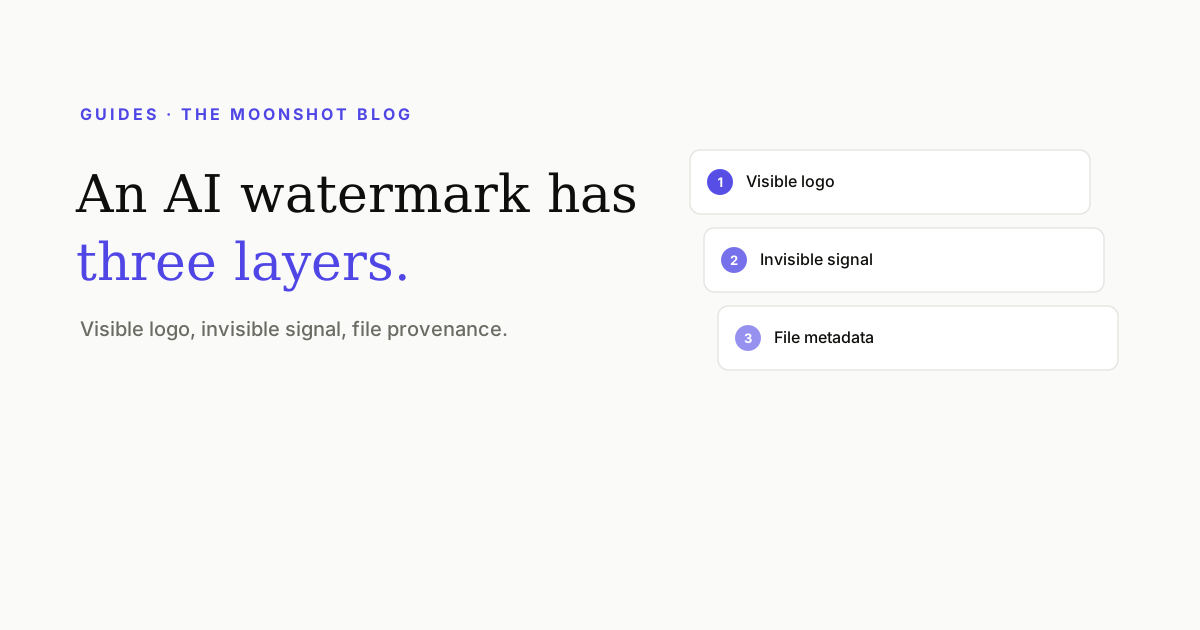
“Remove the watermark” sounds like one job. On an AI-generated image it’s three, because modern generators mark their output in three separate places: a logo you can see, a signal you can’t, and a paper trail in the file itself. The three layers have different owners, different physics, and different failure modes — and a tool that only handles one of them leaves you with a file that still announces itself. Here’s how each layer actually works, and how removal actually works, without the hand-waving.
Layer 1: the visible logo
The one everybody means. Gemini and the “Nano Banana” image models stamp a four-point sparkle in the corner; Doubao adds a “豆包AI生成” strip; Jimeng/Dreamina a “★ 即梦AI” wordmark; Samsung Galaxy AI a “✦ generated with AI” tag. These are alpha-composited onto the finished image — semi-transparent pixels blended over your content at a known position.
That “alpha-composited” detail is why removal can be nearly lossless. Generic object erasers treat the badge as a hole and hallucinate new content to fill it — which is why eraser results look smeared. But a watermark isn’t a hole; the original pixels are still underneath, just mixed with the badge. If you know the badge and its opacity, you can invert the blend:
watermarked = α · badge + (1 − α) · originaloriginal = (watermarked − α · badge) / (1 − α)
Alpha-reversal recovers the true pixels almost everywhere; a small residual inpaint pass cleans up the fully opaque cores where division can’t help. The result preserves texture that erasers destroy — skin, fabric, bokeh — because most of the area was never “generated,” only un-mixed.
The catch: this works when the mark is a known logo at a known opacity. Moving or pulsing marks (video sparkles), unknown third-party watermarks, and marks over extremely busy detail push the job toward real inpainting, where quality depends on the model.
Layer 2: the invisible signal
This is the layer most people have never heard of. Google’s SynthID, Meta’s StableSignature, TreeRing, and classical DWT-DCT schemes weave a statistical pattern through the image’s pixel values — not a hidden logo in a corner, but a bias spread across the whole picture, imperceptible to eyes and detectable by the vendor’s classifier. SynthID is embedded during generation itself, and it is engineered to survive exactly the things people try first: JPEG compression, resizing, screenshots, filters, and moderate crops.
You cannot “erase” a signal that lives everywhere and nowhere. What works is not carrying it through a re-render. The approach our image cleaner uses is a low-strength diffusion regeneration: the image is re-rendered by SDXL while ControlNet pins down structure, edges, and faces so the output stays visually the same picture. The embedded statistics don’t survive because the pixels are new.
Layer 3: the paper trail
The third layer isn’t in the picture at all — it’s in the file. AI images routinely ship with:
- C2PA Content Credentials — a cryptographically signed manifest recording what tool made the image and what edits followed. Adobe, Google, Microsoft, and OpenAI all participate, and platforms have begun reading it.
- EXIF/XMP generator tags — fields literally naming the model, and on some tools the seed and settings.
- IPTC
digitalSourceType— set totrainedAlgorithmicMedia, which is the flag services check when they show a “Made with AI” label. - PNG text chunks — the sleeper. Local tools like ComfyUI and A1111 embed your entire workflow in the file: prompt, negative prompt, model hash, every parameter. Anyone who drags your PNG into a metadata viewer can read what you typed.
Removal here is the easy, lossless one — the fields are parsed and stripped without touching a pixel. The subtlety is knowing what not to strip: nuking all metadata also deletes your copyright and authorship fields, which is how “cleaned” images end up orphaned. A careful pass drops the provenance and AI flags while keeping Author, Copyright, and Title intact.
The survival matrix
| Layer | Lives in | Survives a screenshot? | Removal | Pixels changed? |
|---|---|---|---|---|
| Visible logo | Corner pixels | Yes — it’s baked in | Alpha-reversal + residual inpaint | Only under the badge |
| Invisible signal | The whole image, statistically | Designed to | Low-strength diffusion regeneration | All, slightly |
| Metadata / C2PA | The file container | No — new file, no tags | Parse & strip fields | None |
Read that table twice and the folk remedies explain themselves. Screenshotting kills only layer 3 and costs you resolution. Cropping the corner kills only layer 1 and costs you composition. Re-compressing kills nothing. The layers are independent; so are the fixes.
Where the line is
We built a watermark cleaner, so here’s our position rather than a disclaimer-shaped shrug. The legitimate cases are real and common: you generated the image and the corner badge wrecks the design it’s going into; you AI-retouched your own photo and don’t want the file broadcasting the tool (and sometimes the prompt) you used; your workflow PNG is leaking prompts you consider trade craft.
What the tool isn’t for: presenting AI work as human-made where that matters — stock marketplaces with AI policies, political imagery, anywhere disclosure is required by platform rules or law. Removing a watermark doesn’t change what the image is, and detection doesn’t rely on watermarks alone. If your use case depends on nobody ever finding out, the watermark is not your actual problem.
One more angle on this — what AI marks and metadata mean for the photos you put on dating apps specifically — is covered in Your AI-edited photo is telling on you.
Quick answers
Does screenshotting an AI image remove the watermark?
Only the metadata layer. A screenshot writes a brand-new file, so C2PA manifests and EXIF tags are gone — but the visible logo is baked into the pixels you just captured, and invisible signals like SynthID are designed to survive screenshots, compression, and moderate crops. You also lose resolution for nothing.
Can SynthID actually be removed?
Not by erasing — it isn't in any one place. The practical approach is regeneration: a low-strength diffusion pass (SDXL guided by ControlNet) re-renders the image so the embedded signal isn't carried through, while structure, faces, and composition are preserved. Every pixel changes slightly; that's inherent to the method, not a flaw of one tool.
Is it legal to remove an AI watermark?
It depends on what you're removing and why. Cleaning marks off images you generated or own the rights to is generally fine; some AI services' terms address watermark removal, so check yours. What creates real risk is intent: passing AI content off as human-made where disclosure is required (ads in some jurisdictions, political content, marketplace listings) can violate platform rules or law regardless of how the watermark came off.
What metadata do AI images carry?
Commonly: C2PA Content Credentials (a signed provenance manifest), EXIF/XMP fields naming the generator, IPTC digitalSourceType set to trainedAlgorithmicMedia, and — for local tools like ComfyUI or A1111 — PNG text chunks containing your entire workflow, prompt included.
Clean an image in your browser
Visible logos and metadata come off free, in bulk, with no signup. Invisible-signal removal runs on GPUs when you need it. Files are processed privately and auto-deleted.
Open the AI image cleaner